
Compaq ProLiant ML350 Server Overview

Compaq ProLiant ML350
Rev. 0.41 6 of 13
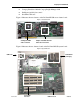
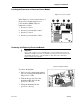
Figure 5: Processor Removal
To remove the old processor module:
1. Lift up the lever on the processor
socket (1).
2. Remove the processor from the
socket (2).
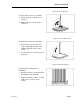
Figure 6: Processor Replacement
To install the new processor module:
1. Press the new processor into the
socket aligning the marked corner
with the upper left corner of the
socket.
2. Lower the lever to lock the processor
into place.
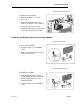
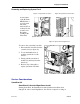
Figure 7: Heatsink Preparation
To prepare the new heatsink for
installation:
1. Peel the protective covering from the
thermal pad on the heatsink.
2. Align the heatsink so that it is seated
in the groove on the processor
socket.