
Compaq ProLiant ML350 Server Overview

Compaq ProLiant ML350
Rev. 0.41 5 of 13
Locating the Processor or Processor Power Module
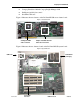
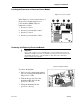
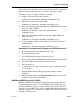
Figure 3: Processor Locations
In the Figure 3 you can see the locations of
the processor modules and processor
power modules (PPMs). They are
numbered as follows:
1. Processor socket 1
2. Processor power module socket 1
3. Processor socket 2
4. Processor power module socket 2
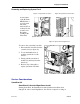
Removing and Replacing Processor Module
!
Important
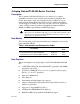
Do not remove the processor heatsink unless you are replacing the processor.
When the heatsink is removed, its thermal seal to the processor is broken, and
the thermal effectiveness of the heatsink is compromised. You must then
replace it with a new heatsink.
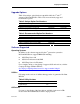
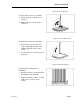
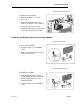
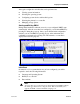
Figure 4: Heatsink Removal
To remove the heatsink:
1. Press one side of the heatsink retainer
clip (1)to disengage the heatsink from
the processor socket.
2. Unhook the opposite side of the
heatsink retainer clip from the
processor socket (2).
3. Lift up the heatsink from the
processor socket (3).