
Compaq ProLiant ML350 Server Overview

Compaq ProLiant ML350
Rev. 0.41 10 of 13
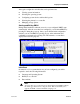
Among the configuration activities that can be performed are:
n Viewing system information
n Selecting the operating system
n Configuring system devices and installed options
n Selecting the primary boot controller
n Managing storage options.
Starting and Exiting RBSU
During initial installation when the server is not yet configured, RBSU starts
automatically. After the server has been configured, you can launch RBSU by
pressing F9 during the power up. Once you are finished with configuration
activities you can exit RBSU by pressing Escape at the main menu and
confirming your intention by pressing F10. The current boot controller is
displayed for reference purposes.
Initial Boot
On initial boot (for a system that has not yet been configured) you will be
required to enter the following information:
n Language and Operating System
n Primary boot controller
n Date and time
Note
To bypass this step you must insert a Compaq Diagnostics ROMpaq diskette
into the floppy drive before booting the server. This would enable you to
upgrade the ROM or run the SmartStart scripting tools.