
Compaq ProLiant ML350 Server General Troubleshooting Guide

Diagnostic Tools 4-21
Compaq Confidential – Need to Know Required
Writer: Susana Weinstein Salazar Project: Compaq Servers Troubleshooting Guide Comments:
Part Number: 161434-001 File Name: e-ch4 Diagnostic Tools.doc Last Saved On: 9/2/99 1:50 PM
6700 - 6799, SCSI Tape Drive Test Error Codes
The 6700 series of diagnostic error codes identifies failures with the tape
cartridge, tape drive, media changer, tape drive cabling, SCSI adapter, or
system board assembly. Corrective action may require replacement of any of
these parts.
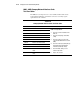
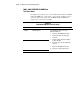
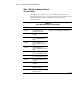
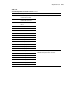
Table 4-13
SCSI Tape Drive Test Error Codes
Error Code Description Recommended Action
6700-xx SCSI Tape ID drive types test failed.
6706-xx SCSI Disk SA/Media test failed.
6708-xx SCSI Controller test failed.
6709-xx SCSI Disk Erase tape test failed.
6728-xx Media load/unload test failed.
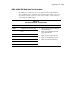
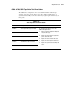
The following steps apply to error codes
6700-xx through 6728-xx:
1. Run the System Configuration Utility and
verify the drive type.
2. Replace the SCSI Tape drive signal and
power cables and retest.
3. Replace the SCSI controller and retest.
4. Replace the SCSI Tape drive and retest.
5. Replace the system board assembly and
retest.