
Compaq ProLiant ML350 Server General Troubleshooting Guide

4-2 Compaq Servers Troubleshooting Guide
Compaq Confidential – Need to Know Required
Writer: Susana Weinstein Salazar Project: Compaq Servers Troubleshooting Guide Comments:
Part Number: 161434-001 File Name: e-ch4 Diagnostic Tools.doc Last Saved On: 9/2/99 1:50 PM
Table 4-1
Diagnostic Tools
continued
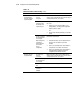
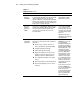
Tool What is it? How do I run it?
Array
Diagnostic
Utility (ADU)
A Windows-based tool designed to run on all Compaq
servers that support Compaq array controllers and are
running SmartStart 4.10 or later. The two main
functions of ADU are to collect all possible information
about the array controllers in the system and generate
a list of detected problems. This tool is available for all
Compaq servers covered by this guide.
Use the information provided
in Array Diagnostic Utility
(ADU) later in this chapter.
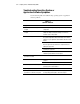
Drive Array
Advanced
Diagnostics
(DAAD)
The predecessor to ADU, DAAD is a DOS-based tool for
Compaq servers with Smart Array Controllers, DAAD
collects all possible information about the array
controllers in the system and offers a list of all
detected problems.
For those still using DAAD,
access instructions on use,
the latest software, and a list
of Compaq servers and array
controllers still supported by
this tool, at
http://www.compaq.com/
support/files/server/softpaqs/
rompaq/daad.html
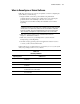
System
Configuration
Utility (SCU)
Utility that allows you to easily configure the hardware
installed in or connected to the server. Specifically, it
allows you to:
■ Resolve resource conflicts in areas such as
memory, port addresses, and interrupts (IRQs).
■ Configure PCI boards automatically.
■ Provide switch and jumper settings.
■ Manage the installation of memory, processor
upgrades, and mass storage devices such as
hard drives, tape drives, and diskette drives.
■ Store configuration information in non-volatile
memory.
■ Assist in the installation of the operating system.
■ Assist in running diagnostic tools such as Test
and Inspect.
If your server has a bootable
CD-ROM drive, you can run
the Compaq System
Configuration Utility directly
from the Support Software
CD supplied with the SMART
Controller Option Kit, or the
SmartStart and Support
Software CD supplied with
your server. Although you
may already have a version
of this utility in the system
partition of your boot disk,
we recommend that you use
the version supplied on the
CD because it is the latest
one that supports your new
SMART Controller.
If your server does not have
a bootable CD-ROM drive,
you can create diskettes with
the latest version of the
System Configuration Utility
from the Support Software
CD, or the SmartStart and
Support Software CD.
continued