
Compaq ProLiant ML350 Server General Troubleshooting Guide

Software Problems 3-3
Compaq Confidential – Need to Know Required
Writer: Susana Weinstein Salazar Project: Compaq Servers Troubleshooting Guide Comments:
Part Number: 161434-001 File Name: d-ch3 Software Problems.doc Last Saved On: 8/28/99 1:30 PM
When to Reconfigure or Reload Software
If all other options have not resolved your problem, consider reconfiguring the
system. Before you take this step:
1. Weigh downtime versus time spent troubleshooting intermittent
problems. It may be advantageous to simply start over by removing the
problem software and reinstalling it. In some cases, it may be
advantageous to use the Erase Utility and reinstall the server from the
beginning.
IMPORTANT: Perform a backup before running the System Erase Utility. All data and
configuration information on your existing server is deleted by the Erase Utility. This utility
sets the system to its original factory state, deletes the current hardware configuration
information, including, array setup and disk partitioning, and erases all attached hard
drives completely. See Chapter 4 for complete instructions on the use of this utility.
2. Make sure you have printed records of all information listed in
Chapter 1, “Information to Gather.”
3. Make sure you have two good backups before you start. Test the
backups using your backup utility.
4. Check the Compaq operating system and application software resources
to ensure you have the latest information.
If the last-known good configuration does not work, try to recover your system
with your operating system’s recovery software.
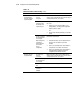
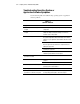
Table 3-2
Recovery Software
Operating System Software Tool
Microsoft Windows NT Emergency Repair Disk. Refer to your Windows NT documentation for more
information.
Novell NetWare VREPAIR. Refer to your NetWare documentation for more information.
SCO UNIX Emergency boot diskette. Refer to your SCO UNIX documentation for more
information.
Sun Solaris Device Configuration Assistant boot diskette. Refer to your Solaris
documentation for more information.
IBM OS/2 Boot the server off the startup diskettes. Refer to your OS/2 documentation for
more information.