
Compaq ProLiant ML350 Server General Troubleshooting Guide
Hardware Problems 2-25
Compaq Confidential – Need to Know Required
Writer: Susana Weinstein Salazar Project: Compaq Servers Troubleshooting Guide Comments:
Part Number: 161434-001 File Name: c-ch2 Hardware Problems.doc Last Saved On: 8/28/99 1:29 PM
Troubleshooting DAT Drives
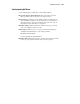
Use the following list to troubleshoot common DAT problems:
■ Upgrade drivers/software/firmware: One of the first steps to take
when a problem exists is to upgrade to the latest revisions.
■ Clean drive: DAT drives are susceptible to particle contamination on
the heads. When a problem occurs, clean the drive at least four times to
ensure the heads are clean and to eliminate dirty heads as the cause of
the failure. For more information, see Chapter 7.
■ Replace Media: If the latest firmware indicates a bad tape, or if head
clogs occur regularly, replace the media.
■ Investigate: DAT sense error codes are provided in the white paper
“Troubleshooting DAT Drives” on the Compaq website:
http://www.compaq.com/support/
Search for Troubleshooting DAT Drives.
■ Replace Drive: If firmware upgrades, cleaning, and media replacements
do not correct the problem, the drive may need to be replaced.