
Compaq ProLiant ML350 Server General Troubleshooting Guide

Hardware Problems 2-17
Compaq Confidential – Need to Know Required
Writer: Susana Weinstein Salazar Project: Compaq Servers Troubleshooting Guide Comments:
Part Number: 161434-001 File Name: c-ch2 Hardware Problems.doc Last Saved On: 8/28/99 1:29 PM
CD-ROM Problems
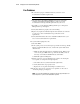
Use the following table to troubleshoot CD-ROM drive problems.
Table 2-8
CD-ROM Problems
Problem Possible Cause Possible Solution
System will not boot from
CD-ROM drive.
The CD-ROM boot is not enabled
through the Setup utility.
Run the Setup utility and
set the drive priorities.
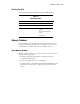
Data read from CD-ROM drive is
inconsistent, or drive cannot read
data.
The CD-ROM drive or the media
inserted is dirty.
Clean the CD-ROM drive
and media.
Paper or plastic label has been applied
to surface of the CD in use.
Remove label and any
adhesive residue.
The inserted CD format may be invalid
for this drive, such as a DVD CD in a
non-DVD drive.
Replace the CD with valid
media for this drive.
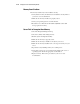
CD-ROM drives are not detected.
Driver is not loaded.
CD-ROM drive is not connected
properly.
Refer to the
documentation included
with the CD-ROM.
Connect cables correctly.
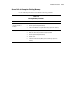
Cable(s) bad. Check connections and
CD-ROM documentation,
and replace as needed.