
Compaq ProLiant ML350 Server General Troubleshooting Guide

Hardware Problems 2-15
Compaq Confidential – Need to Know Required
Writer: Susana Weinstein Salazar Project: Compaq Servers Troubleshooting Guide Comments:
Part Number: 161434-001 File Name: c-ch2 Hardware Problems.doc Last Saved On: 8/28/99 1:29 PM
Server Fails to Recognize Existing Memory
Use the following information to troubleshoot memory problems.
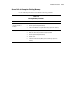
Table 2-6
Existing Memory Problems
Problem Action
Server fails to recognize
complete amount of
memory.
1. Reseat memory.
2. Run the System Configuration Utility.
3. If the server still fails to recognize the memory, replace the memory.
Memory count error occurs. 1. Verify that the memory modules have been installed correctly.
2. Make sure the memory modules are properly seated.
3. Run the System Configuration Utility.
4. Restart server.
5. If the Power-On Self-Test (POST) count is still wrong, replace the
memory.