
Compaq ProLiant ML350 Server General Troubleshooting Guide

2-10 Compaq Servers Troubleshooting Guide
Compaq Confidential – Need to Know Required
Writer: Susana Weinstein Salazar Project: Compaq Servers Troubleshooting Guide Comments:
Part Number: 161434-001 File Name: c-ch2 Hardware Problems.doc Last Saved On: 8/28/99 1:29 PM
Video Problems
When you first start the server, the monitor should display the Compaq
ProLiant logo. If there is nothing displayed within approximately 60 seconds,
check the following:
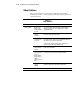
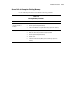
Table 2-4
Video Problems
Problem Possible Cause Possible Solution
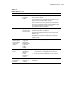
Screen is blank. Monitor is not
turned on and
the monitor light
is not on.
Turn on the monitor and check that the monitor light is on.
Verify the monitor power cord is plugged into a working
grounded AC outlet.
Correct server
node not
connected.
Check the integrated 2-port switch box to make sure that both
servers are connected to the switch.
The cable
connections are
not correct.
If this is a rack-mounted server, check the cables to the switch
box. Make sure the cables are securely attached. Make sure
the switch is set for the server in question.
If this is a tower model, check the cable connection from
monitor to server and to grounded AC outlet.
The energy saver
feature has been
enabled.
Press any key or type your password and wait a few moments
for the screen to activate.
A video
expansion board,
such as a
Remote Insight
Board, has been
added, to
replace on-board
video.
Disconnect the video cable from on-board video, and
reconnect to the video jack on the expansion board.
The video driver
requires
updating.
Check your SmartStart and Support CD or third-party video
adapter documentation for the driver requirements.
NOTE: All servers will automatically by-pass on-board video when a video expansion board is present.
continued