
Compaq ProLiant ML350 Server General Troubleshooting Guide

1-10 Compaq Servers Troubleshooting Guide
Compaq Confidential – Need to Know Required
Writer: Susana Weinstein Salazar Project: Compaq Servers Troubleshooting Guide Comments:
Part Number: 161434-001 File Name: b-ch1 Diagnosing the Problem.doc Last Saved On: 8/29/99 7:41 PM
Contacting Compaq
Information You Will Need
Before contacting Compaq, obtain the following:
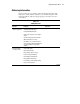
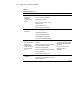
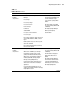
1. All of the information from the “Gathering Information” section earlier
in this chapter.
2. A printed copy of the system and operating environment information
and a copy of any historical data that might be relevant. To obtain this
information, run Inspect, found in the latest version of Compaq
Diagnostics.
3. Boot the server, and press F10 when you see the following message:
Press F10 for system partition utilities
4. Select Inspect.
NOTE: You may also run the Compaq Survey Utility on servers with Windows NT or
NetWare operating systems.
5. A list of your system’s components:
G Compaq product, model, and serial number
G Hardware configuration
G Add-on boards
G Printer attached
G Monitor
6. A list of the third-party hardware/software:
G Complete product name
G Complete company name
G Product version
G Driver version
7. Your notes describing the conditions under which the problem occurred.
8. Notes on anything non-standard about your server setup.