
Compaq ProLiant ML350 Server General Troubleshooting Guide


1-6 Compaq Servers Troubleshooting Guide
Compaq Confidential – Need to Know Required
Writer: Susana Weinstein Salazar Project: Compaq Servers Troubleshooting Guide Comments:
Part Number: 161434-001 File Name: b-ch1 Diagnosing the Problem.doc Last Saved On: 8/29/99 7:41 PM
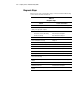
Table 1-1
Collect the Facts
continued
Question Examples Your Facts
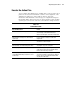
Is the utilization
rate/traffic
appropriate?
What is the bus utilization shown in Compaq
Insight Manager?
What utilization information do your
third-party tools provide?
How does the current utilization differ from
the history?
Prepare Server for Diagnosis
After you record the facts, complete as many steps as possible to prepare the
server for more detailed troubleshooting procedures, then see the following
“Execute the Action Plan” section. Use it in conjunction with the flowchart in
your server-specific troubleshooting guide.
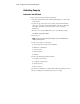
Turning off the Server
1. Remove all diskettes from the diskette drives and all CDs from the
CD-ROM drives.
2. Record any error messages.
3. Turn off the computer and peripheral devices. Always perform an
orderly server shutdown. This means:
G Exit the applications.
G Exit the operating system.
G Power down the server.
4. Disconnect any peripheral devices not required for testing, that is, any
devices not necessary to boot the server. Do not disconnect the printer if
you want to use it to log error messages.
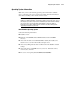
At this point, you can attempt to power on the server, using the steps provided
in your server’s user documentation. Also use the Normal Power-up Sequence
section in your server-specific troubleshooting guide to determine is the server
is starting as it should.