
Compaq ProLiant ML350 Server General Troubleshooting Guide

1-2 Compaq Servers Troubleshooting Guide
Compaq Confidential – Need to Know Required
Writer: Susana Weinstein Salazar Project: Compaq Servers Troubleshooting Guide Comments:
Part Number: 161434-001 File Name: b-ch1 Diagnosing the Problem.doc Last Saved On: 8/29/99 7:41 PM
Developing a Troubleshooting Plan
Evaluate all of the information and symptoms to:
■ Collect the facts. Use the following “Gathering Information” section.
■ Analyze the mode of failure.
■ Identify which components could cause the problem.
■ Identify any third-party components. This is a very important step. Find
out exactly what the board is and which slot it is installed in. Some
third-party PCI boards must be installed on the primary PCI bus.
QuickFind lists issues related to certain third-party equipment. For
example, third-party cables may have different pin-outs than required.
■ Determine which software component could be at fault.
Then, plan your troubleshooting:
■ Balance the time and cost required for implementing each solution
against the likelihood that the solution would fix the problem.
■ Identify all of the steps necessary to implement each solution.
■ Compile a master plan to ensure that you eliminate redundancy and that
you manipulate only one variable at a time.
■ Identify all of the tools you will need to troubleshoot the problem. For
example, Torx screwdriver, ESD wrist strap, mat, flashlight, backup
tapes, and software utilities.
■ Record each action you take and list the results.
■ Test your actions to make sure the problem is truly resolved.
■ Identify and perform the steps necessary to prevent the problem from
occurring again. See Chapter 7 for additional information.
■ Gather your server’s user documentation, including the server-specific
troubleshooting guide.
■ Access the Compaq website:
http://www.compaq.com/support/servers/
In particular, you may need to access the server’s maintenance and
service guide. That guide will provide more specific instructions about
adding and removing server components.
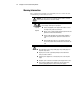
IMPORTANT: Familiarize yourself with the appropriate warnings for your server. Refer to
your server’s user documentation.