
Compaq ProLiant Clusters for SCO UnixWare 7 U/200 Quick Install Guide for the Compaq ProLiant ML350

Troubleshooting 5-3
Compaq Confidential – Need to Know Required
Writer: Rachel Williams Project: Compaq ProLiant Clusters for SCO UnixWare 7 U/200 Quick Install Guide for the Compaq ProLiant ML350
Comments: Part Number: 223094-001 File Name: f-ch5 Troubleshooting.doc Last Saved On: 12/27/00 10:32 AM
Quick Install Error Messages
This section addresses errors relating to Quick Install installation.
Table 5-2
Quick Install Error Messages
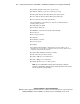
Error Message Possible Cause Action
No disk drive is installed Install at least one 9.1 GB or larger disk
drive into each node and retry.
No disks detected
The driver cannot configure
the hardware
The installation is being attempted on
the wrong hardware type. Obtain the
correct hardware and retry.
Disk configuration failed An I/O error occurred when
reading or writing to the disk
drive
Replace the disk drive and retry.
Disk parameter mismatch The operating system is
reporting sector counts other
than expected
Try a different disk drive.
Disk is too small The disk drive is smaller than
the original
Make sure that the disk drive is at least
9.1 GB.
Software installation has
failed
An I/O error occurs (CD or
disk drive)
Replace the disk drive and retry.