
Compaq ProLiant Clusters for SCO UnixWare 7 U/200 Quick Install Guide for the Compaq ProLiant ML350

2-2 Compaq ProLiant Clusters for SCO UnixWare 7 U/200 Quick Install Guide for the Compaq ProLiant ML350
Compaq Confidential – Need to Know Required
Writer: Rachel Williams Project: Compaq ProLiant Clusters for SCO UnixWare 7 U/200 Quick Install Guide for the Compaq ProLiant ML350
Comments: Part Number: 223094-001 File Name: c-ch2 Setting Up Cluster Hardware.doc Last Saved On: 12/27/00 10:30 AM
Setting Up the Cluster Nodes
Setting up a cluster includes preparing the servers used as nodes in the cluster.
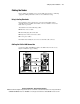
Preparing the servers includes installing the Compaq NC3123 Fast Ethernet
NIC PCI, 10/100 WOL (NC3123 NIC) into slot 4 for connection to the public
LAN, along with installing processors, memory, and disk drives. Node setup
can also include installing any other approved adapter cards.
To install the NC3123 NIC into the server, see the documentation that comes
with the network interface controller (NIC).
IMPORTANT: Install the NC3123 into slot 4 of each server.
To install processors, memory, disk drives, tape drives, and other adapter
boards, refer to the Compaq documentation that comes with these devices. For
a list of certified options, see the Compaq High Availability website at
http://www.compaq.com/highavailability
When setting up the nodes, keep in mind:
■ Each server must contain a 9.1-GB or larger internal disk drive.
IMPORTANT: One 9.1-GB disk drive is required per node. The Quick Install automatically
configures each internal disk drive with a 9.1-GB partition, even if the disk drive is larger
than 9.1 GB. This UnixWare partition cannot be modified, and other UnixWare partitions
cannot be added to this disk drive. After the Quick Install is completed, non-UnixWare
partitions can be added up to the maximum capacity of the disk drive, or other disk drives
can be installed for additional UnixWare partitions.
■ Each server must have one NC3123 NIC installed in slot 4.
■ Additional options, such as tape drives, other NICs, Remote Insight
Boards, and additional internal disk drives must be added after the
U/200 Quick Install software for the ProLiant ML350 server has been
installed.