
ProLiant ML350 Generation 3 Server Setup and Installation Guide


Hardware Options Installation
Removing the Access Panel in a Rack Server
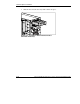
To extend the server from the rack and remove the access panel:
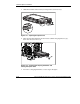
1. Loosen the two thumbscrews that secure the chassis to the front of the rack (1).
2. Slide the server out of the rack until the sliding rails lock (2).
2
1
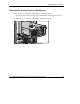
Figure 3-5: Sliding the server out of the rack
HP ProLiant ML350 Generation 3 Server Setup and Installation Guide 3-7
HP CONFIDENTIAL
Writer: Richard O. Heath File Name: d-ch3 Hardware Options Installation.doc
Codename: Steel Venom Part Number: 316354-002 Last Saved On: 8/21/03 10:06 AM