
ProLiant ML350 Generation 3 Server Setup and Installation Guide


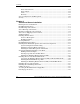

Contents
Chapter 4
Cabling Guidelines
Storage Device Installation Guidelines............................................................................4-2
Identifying SCSI Components...................................................................................4-3
Cabling SCSI Devices in the Removable Media Area..............................................4-7
Cabling a SmartArray or other RAID Controller ......................................................4-8
Installing an Internal-to-External SCSI Connector .................................................4-10
Connecting ATA or ATAPI Devices to the Integrated IDE Controller ..................4-12
Connecting the System Fans ...................................................................................4-13
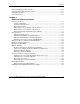
Chapter 5
Server Configuration and Utilities
ROM-Based Setup Utility................................................................................................5-2
Navigating RBSU......................................................................................................5-2
Using RBSU..............................................................................................................5-3
Redundant ROM Support ................................................................................................5-8
Safety and Security Benefits .....................................................................................5-8
Access to Redundant ROM Settings .........................................................................5-8
ROMPaq ..........................................................................................................................5-9
SmartStart Software.......................................................................................................5-10
SmartStart Diskette Builder ...........................................................................................5-10
Insight Manager .............................................................................................................5-11
Survey Utility.................................................................................................................5-12
Diagnostics Utility .........................................................................................................5-12
Automatic Server Recovery...........................................................................................5-13
Power-On Self-Test .......................................................................................................5-13
System Firmware Update...............................................................................................5-13
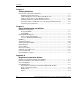
Appendix A
Regulatory Compliance Notices
Regulatory Compliance Identification Numbers ............................................................A-1
Federal Communications Commission Notice ............................................................... A-2
Class A Equipment .........................................................................................................A-2
Class B Equipment.......................................................................................................... A-3
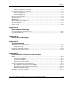
Declaration of Conformity for Products Marked with the FCC
Logo—United States Only ....................................................................................... A-4
Modifications ...........................................................................................................A-4
Cables ....................................................................................................................... A-4
vi HP ProLiant ML350 Generation 3 Server Setup and Installation Guide
HP CONFIDENTIAL
Writer: Richard O. Heath File Name: a-frnt.doc
Codename: Steel Venom Part Number: 316354-002 Last Saved On: 8/21/03 9:52 AM