
Compaq ProLiant ML350 Generation 2 Server Maintenance and Service Guide

Connectors, Switches and LEDs
Compaq ProLiant ML350 Generation 2 Server Maintenance and Service Guide 4-7
COMPAQ CONFIDENTIAL Codename: Forge Part Number: 236634-002 Last Saved On: 5/14/02 12:07 PM
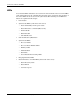
Resetting System Configuration Settings
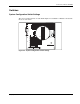
It may be necessary at some time to clear and reset system configuration settings. When the
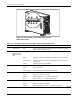
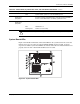
system configuration switch position 6 is set to the on position, the system is prepared to
erase all system configuration settings from both CMOS and nonvolatile RAM (NVRAM).
IMPORTANT: Clearing NVRAM deletes your configuration information. Refer to Chapter 5 of the
Compaq ProLiant ML350 Generation 2 Server Setup and Installation Guide for complete instructions on
configuring the server.
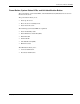
To reset system configuration settings:
1. Power down the server.
2. Set the system configuration switch position 6 to the on position.
3. Power up the server. All configuration settings are now erased and all system operations
halt.
4. Power down the server.
5. Reset the position 6 switch to the default off position.
6. Power up the server.
7. Reset all system configuration settings.
Refer to Chapter 3 of this guide, “Diagnostic Tools,” or refer to the Compaq ROM Based
Setup Utility User Guide found on the server documentation CD, for more information on
RBSU.