
Compaq ProLiant ML350 Generation 2 Server Maintenance and Service Guide

Removal and Replacement Procedures
Compaq ProLiant ML350 Generation 2 Server Maintenance and Service Guide 2-35
COMPAQ CONFIDENTIAL Codename: Forge Part Number: 236634-002 Last Saved On: 5/14/02 12:00 PM
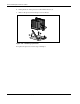
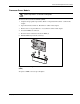
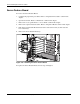
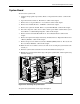
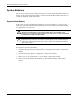
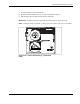
5. Locate the battery on the system board.
6. Slide the battery toward the post at one side of the battery holder (1).
7. Lift the battery up from that side and out of its holder (2).
IMPORTANT: The battery should be installed with the positive polarity (+ side) positioned up.
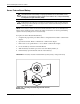
NOTE: If expansion boards are installed, you may need to remove them to gain access to the battery.
1
2
Figure 2-30: Locating and removing a system board
battery