
ProLiant ML330 Setup and Installation Guide



Overview of Server Installation 2-5
Compaq Confidential – Need to Know Required
Writer: Donna Hollas Project: Compaq ProLiant ML330 Setup and Installation Guide Comments:
Part Number: 173868-001 File Name: c-ch2 Overview of Server Installation.doc Last Saved On: 1/17/00 1:37 PM
1. After the cables have been connected to the server, you are ready to
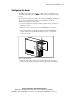
power up the ProLiant ML330. To power up your server:
a. Press and release the circular indentation on the left side of the
drive bay door to release the door latch.
b. Swing the drive bay door open.
c. Press the center of the power button on the front of the server.
1
2
3
Figure 2-2. Powering up the server
2. Follow the screen instructions to complete the factory-installed
operating system process.
3. Refer to Chapter 5, “Server Configuration and Utilities,” and the
Compaq Management CD for information about installing the Compaq
Management Agents for your operating system.
4. After verifying your server configuration, back up your system
configuration. Refer to SmartStart and Support Software CD for further
information on backing up your system configuration.
5. Install any application software.
If you need to install additional options not preinstalled on your server, follow
the steps in Chapter 3.