
Compaq ProLiant ML330e/ML330 Server Setup and Installation Guide

4 Compaq ProLiant ML330e/ML330 Server Setup and Installation Guide
Compaq Confidential – Need to Know Required
Writer: Jennifer Hayward Project: Compaq ProLiant ML330e/ML330 Server Setup and Installation Guide Comments:
Part Number: 173868-002 File Name: m-index.doc Last Saved On: 12/27/00 3:36 PM
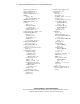
Class 1 laser product A-7
Class A equipment A-2
Class B equipment A-2
clearance, requirements 2-2
CMOS
clearing E-8
SW2, default settings E-7
COM Port A, settings 5-9
COM Port B, settings 5-9
Compaq
address A-3
authorized resellers,
locating xiii
telephone numbers A-3
website address xii
Compaq Diagnostics Utility 5-16
Compaq Insight Manager
defined 5-13
description 1-14
documentation 5-13
installing 2-7
power cycling D-3, D-7
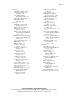
Compaq ProLiant ML330
server See server
Compaq ProLiant ML330e
server See server
Compaq Servers Troubleshooting
Guide D-3
Compaq Survey Utility
command prompt,
NetWare 5-15
command prompt,
Windows NT 5-15
data gathering 5-15
defined 5-14
diskettes, creating 5-15
installation from Compaq
Management CD 5-15
installation with
SmartStart 5-15
running 5-15
specifications 5-14
Compaq System Erase Utility
caution D-9
running D-9
Compaq technical support xii
Compaq website xii
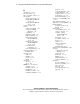
components
drive bay 1-3
front panel 1-4
handling, caution 3-21, 3-23
rear panel 1-5
reseating, warning D-5, D-6
Server Feature Board
(ProLiant ML330
server) 1-10
Server Feature Board
(ProLiant ML330e
server) 1-11
system board 1-7
configuration
archive 5-3
BIOS Setup utility 2-9
boot order, ProLiant ML330
server 5-5
boot order, ProLiant ML330e
server 5-9
data backup 5-3
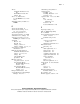
default settings,
ProLiant ML330
server 5-3
default settings,
ProLiant ML330e
server 5-12
devices 3-9
information, recording 3-2
PCI devices 3-22
RBSU 2-9
restore system settings,
ProLiant ML330
server 5-3
SCSI ID 3-9, 3-15, 3-16
server 5-1
tools 1-13
configure-to-order systems See
factory-installed operating
systems