
HP ProLiant ML310 Generation 4 Server Maintenance and Service Guide

Server component identification 67
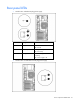
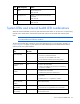
Item LED description Status
2 Online/Activity status Green = Drive activity
Flashing green = High activity on the
drive or drive is being configured as part
of an array
Off = No drive activity
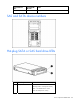
The hard drive activity LED will not illuminate if using SATA drives connected to the embedded storage
device. In this configuration, SATA hard drive activity can be identified using the LED on the system front
panel.
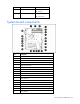
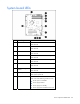
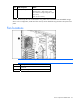
Fan locations
NOTE: The air baffle and the processor heatsink are removed for clarity.
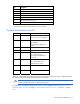
Item Description
1 System fan
2 Hard drive cage fan