
HP ProLiant ML310 Generation 4 Server Maintenance and Service Guide

Removal and replacement procedures 47
4.
Remove the access panel ("Access panel" on page 26).
5. Remove the system fan air baffle ("System fan air baffle" on page 26).
6. Remove the system fan module ("System fan module and fan holder" on page 27).
7. Remove all DIMMs ("DIMM" on page 36).
8. Remove all PCI expansion boards ("Expansion boards" on page 43).
9. Remove the hard drive cage fan and baffle ("Hard drive cage fan and baffle" on page 28).
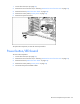
10. Disconnect all system board cabling.
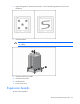
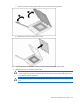
11. Remove the heatsink.
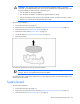
CAUTION: Heatsink retaining screws should be loosened in diagonally opposite pairs (in an
"X" pattern).
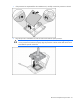
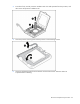
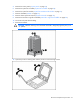
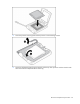
12. Open the processor retaining latch and the processor socket retaining bracket.