
HP ProLiant ML310 Generation 4 Server Maintenance and Service Guide

Removal and replacement procedures 46
WARNING: The computer contains an internal lithium manganese dioxide, a vanadium
pentoxide, or an alkaline battery pack. A risk of fire and burns exists if the battery pack is not
properly handled. To reduce the risk of personal injury:
• Do not attempt to recharge the battery.
• Do not expose the battery to temperatures higher than 60°C (140°F).
• Do not disassemble, crush, puncture, short external contacts, or dispose of in fire or water.
• Replace only with the spare designated for this product.
To remove the component:
1. Power down the server (on page 25).
2. Remove the server from the rack, if necessary ("Remove the server from the rack" on page 25).
3. Remove the bezel ("Unlock the tower bezel" on page 26).
4. Remove the access panel ("Access panel" on page 26).
5. Locate the battery ("System board components" on page 62).
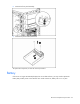
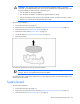
6. Remove the battery.
To replace the component, reverse the removal procedure.
IMPORTANT: After replacing the battery, the server is automatically configured with the default
settings. The user can update these settings using RBSU.
For more information about battery replacement or proper disposal, contact an authorized reseller or an
authorized service provider.
System board
To remove the component:
1. Power down the server (on page 25).
2. Remove the server from the rack, if necessary ("Remove the server from the rack" on page 25).
3. Remove the bezel ("Unlock the tower bezel" on page 26).