
HP ProLiant ML310 Generation 4 Server Maintenance and Service Guide

Removal and replacement procedures 44
1.
Power down the server (on page 25).
2. Remove the server from the rack, if necessary ("Remove the server from the rack" on page 25).
3. Remove the bezel ("Unlock the tower bezel" on page 26).
4. Remove the access panel ("Access panel" on page 26).
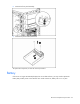
5. Remove the expansion board.
To replace the component, reverse the removal procedure.
Power button/LED board
To remove the component:
1. Power down the server (on page 25).
2. Remove the server from the rack, if necessary ("Remove the server from the rack" on page 25).
3. Remove the bezel ("Unlock the tower bezel" on page 26).
4. Remove the access panel ("Access panel" on page 26).
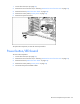
5. Disconnect the power and data cables.