
HP ProLiant ML310 Generation 4 Server Maintenance and Service Guide

Removal and replacement procedures 39
3.
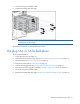
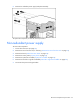
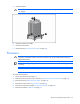
Install the heatsink.
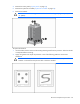
CAUTION: Heatsink retaining screws should be tightened in diagonally opposite pairs (in an
"X" pattern).
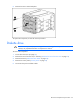
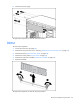
4. Install the system fan air baffle.
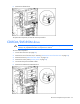
5. Install the access panel.
6. Install the bezel ("Unlock the tower bezel" on page 26).
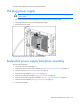
Processor
CAUTION: Removal of the processor or heatsink renders the thermal layer between the
processor and heatsink useless. Clean the component with the provided alcohol swab, then
add thermal grease.
IMPORTANT: If upgrading processor speed, update the system ROM before installing the
processor.
NOTE: PPM 1 is embedded in the system board.
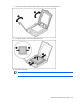
To remove the component:
1. Power down the server (on page 25).
2. Remove the server from the rack, if necessary ("Remove the server from the rack" on page 25).
3. Remove the bezel ("Unlock the tower bezel" on page 26).
4. Remove the access panel ("Access panel" on page 26).
5. Remove the system fan air baffle ("System fan air baffle" on page 26).
6. Remove the heatsink ("Heatsink" on page 37).