ProLiant ML310 Generation 2 Server User Guide
Manuals
Brands
HP Manuals
Server
HP ProLiant ML310 G2 Server
41
42
43
44
45
46
47
48
49
50
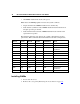
Hardware Options Installation
47
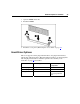
4.
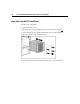
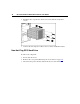
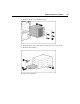
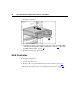
Remove the drive cage from the chassis.
5.
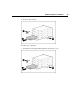
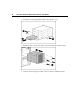
Remove the six Torx screws that
secure the drive cage to the chassis.
6.
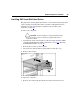
Remove the hard drive.
To replace the component:
1
...
...
45
46
47
48
49
...
...
124