
ProLiant ML150 Server NOS Installation and Software Guide

Installing Red Flag Linux 4.0 Advanced Server
9-4 HP ProLiant ML150 Server NOS Installation and Software Guide
HP CONFIDENTIAL
Writer: Pauline Tsai File Name: j-ch9 Installing Red Flag Linux 4.0 Advanced Server.doc
Codename: Stone Soup Part Number: 343330-002 Last Saved On: 11/10/03 12:33 PM
•
•
Installing Red Flag Linux 4.0 Advanced Server
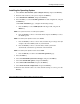
1. Insert the Red Flag Linux 4.0 Advanced Server bootable CD-ROM, and then
click 下一步 (Next) to continue.
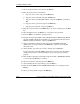
2. Enter the license information, and then click 下一步 (Next) to continue.
NOTE: Be careful when typing the license; it is case-sensitive.
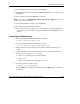
3. Click 下一步 (Next) to install Red Flag Linux 4.0 Advanced Server.
4. The installation of Red Flag Linux 4.0 Advanced Server is finished. Make sure
that the CD-ROM and flexible diskette drives are empty. Then select 立即重启
计算机 (Reboot the server now) and click 完成 (Finish) to reboot the system.
5. Your system is now set up and ready to use. It will enter the login prompt. Enter
“root” for the login name, and the root password. Then type
startx to start X-
Windows.
MSHD Installation
Please refer to “HP ML150 Server Health Driver” in Chapter 13 for the detailed
instructions on installing MSHD from the Startup CD-ROM.
On-Line Information and Software Sources
HP World Wide Web access: http://www.hp.com/
Red Flag access: http://www.redflag.com/