
ProLiant ML150 Server NOS Installation and Software Guide

Installing Red Flag Linux 4.0 Advanced Server
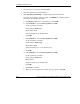
3. Select 典型安装 (Typical Installation), and click 下一步 (Next) to proceed.
4. Disk partitioning will vary depending on the type of services the server will
provide. The amount of swap space required will also vary depending on the
amount of RAM in the system. The following partitioning scheme is given as an
example.
a. Select 用 Disk Druid 手工分区 (Manually partition with Disk Druid),
and then click 下一步 (Next).
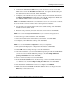
b. Select 空闲 (Free Space), and then select 新建 (New) to create a swap
partition.
Set the parameters as follows:
挂载点 (Mount Point): (by default value)
文件系统类型 (file system): swap
大小 (Size) (MB): (2 x server memory size)
Then click 确定 (OK) to continue.
c. Select 空闲 (Free Space) again, and then select 新建 (New) to create a root
partition.
Set the parameters as follows:
挂载点 (Mount Point): /
文件系统类型 (file system): ext3
大小 (Size) (MB): check the 使用全部可用空间 (Fill to maximum
allowable size) item.
Then click 确定 (OK) to continue.
5. Click 下一步 (Next).
9-2 HP ProLiant ML150 Server NOS Installation and Software Guide
HP CONFIDENTIAL
Writer: Pauline Tsai File Name: j-ch9 Installing Red Flag Linux 4.0 Advanced Server.doc
Codename: Stone Soup Part Number: 343330-002 Last Saved On: 11/10/03 12:33 PM