
ProLiant ML150 Server NOS - (English) Installation and Software Guide



12
Installing SCO OpenServer 5.0.7
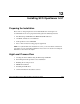
Preparing the Installation
Please refer to “Preparing the Server for NOS Installation” in Chapter 1 for
recommendations on server preparation. Then gather the following material:
•
•
•
•
The HP Startup CD-ROM for the HP ProLiant ML150 server
One blank, formatted 3.5-inch diskette
SCO OpenServer 5.0.7 CD-ROM
Two or more clients for testing purposes (Optional)
NOTE: If an optional ZCR card is installed in the server, you need one blank, formatted 3.5-
inch diskette to create and install the ZCR driver. Please refer to the “Section 5. Installing the
ZCR Driver” section later in this chapter.
High Level Process Flow
1. Creating the driver diskette using the HP Startup CD-ROM
2. Performing the SCO OpenServer 5.0.7 installation
3. Enabling the second processor
4. MSHD-O installation
5. Installing the ZCR driver
6. On-line information and software sources
HP ProLiant ML150 Server NOS Installation and Software Guide 12-1
HP CONFIDENTIAL
Writer: Pauline Tsai File Name: m-ch12 Installing SCO OpenServer 5.0.7.doc
Codename: Stone Soup Part Number: 343330-003 Last Saved On: 1/7/04 4:33 PM