
ProLiant ML150 Server NOS - (English) Installation and Software Guide


Installing United Linux 1.0 (SCO Linux 4)
Section 1. Performing the United Linux 1.0 Installation
Phase 1 – Launchi ng the Installation
Start the installation using GUI.
1. Turn on the server and insert the United Linux 1.0 bootable CD-ROM.
2. The system will display a graphic menu. Select Installation to begin the process
of loading the operating system using the graphic interface.
Phase 2 – Configuri ng the Server
The installation program now displays a graphical interface. You can now proceed
through the customization of your installation.
Welcome to YaST2
Default is English. Click Next to continue.
NOTE: Using the GUI installation, you will have an on-screen description of each possible
selection displayed on the left of the screen.
Basic Configuration
Click Accept for the Software License Agreement. Select English (US) for Select
your language, and then click Accept.
Install United Linux
Select New Installation. Click Next to proceed.
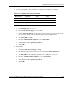
Disk partitioning will vary depending on the type of services the server will provide.
The amount of swap space required will also vary depending on the amount of RAM
in the system. The following partitioning scheme is given as an example.
5-2 HP ProLiant ML150 Server NOS Installation and Software Guide
HP CONFIDENTIAL
Writer: Pauline Tsai File Name: f-ch5 Installing United Linux 1.0 (SCO Linux 4).doc
Codename: Stone Soup Part Number: 343330-003 Last Saved On: 1/7/04 3:52 PM