
ProLiant ML150 Server NOS - (English) Installation and Software Guide

Contents
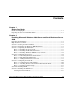
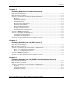
Performing the Installation......................................................................................2-13
Section 8. Troubleshooting............................................................................................2-14
Tip #1. Windows 2000 Installation Halts about Three Minutes after Starting to Boot
from CD-ROM ........................................................................................................2-14
Tip #2. Configuring the Parallel (LPT) Port for ECP Mode ...................................2-15
Tip #3. Windows 2000 Drivers Signatures .............................................................2-16
Tip #4. Windows 2000 Recovery Options ..............................................................2-16
Tip #5. Restarting Windows 2000 Installation........................................................2-19
Section 9. On-Line Information and Software Sources .................................................2-19
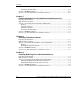
Chapter 3
Installing Microsoft Windows Server 2003 and Small Business Server
2003
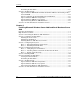
Preparing the Installation.................................................................................................3-1
High Level Process Flow.................................................................................................3-1
Section 1. Performing the Windows 2003 Installation ....................................................3-2
Section 2. Completing the Installation.............................................................................3-4
Installing the Service Pack ........................................................................................3-4
Installing the LAN Driver .........................................................................................3-4
Installing Windows 2003 Recovery Console ............................................................3-4
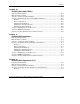
Section 3. Configuring the System ..................................................................................3-5
Phase 1 – Performing Hardware Status Check..........................................................3-5
Phase 2 – Initializing Hard Disk Drive .....................................................................3-6
Section 4. Configuring the Network ................................................................................3-6
Phase 1 – Configuring Server IP Address.................................................................3-6
Phase 2 – Attaching Clients to Network and Test Network Link .............................3-7
Phase 3 – Domain Controller Setup ..........................................................................3-8
Section 5. Installing MSM.............................................................................................3-10
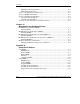
Section 6. Installing the ZCR Driver .............................................................................3-11
Creating the Driver Diskette....................................................................................3-11
Performing the Installation......................................................................................3-11
Section 7. Troubleshooting............................................................................................3-12
Tip #1. Windows 2003 Drivers Signatures .............................................................3-12
Tip #2. Windows 2003 Recovery Options ..............................................................3-13
Tip #3. Restarting Windows 2003 Installation........................................................3-16
Section 8. On-Line Information and Software Sources .................................................3-16
iv HP ProLiant ML150 Server NOS Installation and Software Guide
HP CONFIDENTIAL
Writer: Pauline Tsai File Name: a-frnt.doc
Codename: Stone Soup Part Number: 343330-003 Last Saved On: 1/7/04 3:44 PM