
ProLiant ML150 Server NOS - (English) Installation and Software Guide

Using the HP Utilities
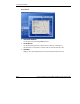
Starting MSHD
To start MSHD, type /etc/init.d/mshdd start, or redhat-config-service
under Red Hat 9 or other Linux kernel operating systems supported by the HP
ProLiant ML150 server.
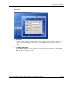
Stopping MSHD
To stop MSHD, type /etc/init.d/mshdd stop, or redhat-config-service
under Red Hat 9 or other Linux kernel operating systems supported by the HP
ProLiant ML150 server.
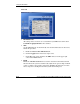
Checking the Program Status
To check the program status, type /etc/init.d/mshdd status, or redhat-
config-service under Red Hat 9 or other Linux kernel operating systems
supported by the HP ProLiant ML150 server.
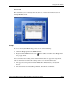
Checking the Log Information
To check the MSHD results and log messages, type chklog. The screen will display
the usable arguments. For example:
•
•
•
•
chklog all: checking all testing results
chklog info: checking all testing information
chklog alert: checking the alert results only
NOTE: The alert messages are automatically appended and logged to the system log file
when the fan speed is lower than the MSHD pre-defined limit value.
chklog notice: checking the notice results only
NOTE: The notice messages are automatically appended and logged to the system log file
when the fan speed returns to the normal condition from the condition of beyond the MSHD
pre-defined limit value.
HP ProLiant ML150 Server NOS Installation and Software Guide A-15
HP CONFIDENTIAL
Writer: Pauline Tsai File Name: o-appa Using the HP Utilities.doc
Codename: Stone Soup Part Number: 343330-003 Last Saved On: 1/7/04 4:18 PM