
ProLiant ML150 Server NOS - (English) Installation and Software Guide

Using the HP Utilities
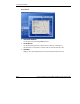
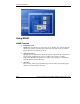
Using MSHD
MSHD Features
•
•
•
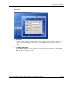
Fan Status Check
MSHD detects if the CPU or system fans are in a healthy state. An alert message
will be logged when a bad fan status is detected, and a notice message will be
logged when the fan status is recovered.
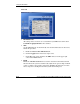
Auto Fan Control
The Auto Fan Control function allows the system to automatically adjust the fan
speed to high, medium or low speed according to the system’s or CPU’s
temperature. Enabling this function can reduce noises and power consumption
when the system is in the idle mode.
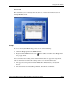
Alert Log
Every change of the fan speed will be logged. An alert message will be logged
whenever a bad fan status is detected.
A-14 HP ProLiant ML150 Server NOS Installation and Software Guide
HP CONFIDENTIAL
Writer: Pauline Tsai File Name: o-appa Using the HP Utilities.doc
Codename: Stone Soup Part Number: 343330-003 Last Saved On: 1/7/04 4:18 PM