
ProLiant ML150 Server NOS - (English) Installation and Software Guide

Using the HP Utilities
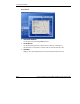
Server Tab
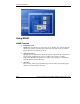
This tab allows you to remotely turn off, turn on, or reboot the monitored server
through MSM Console.
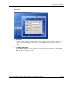
Scope
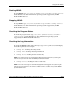
To access the System Monitoring panel, do one of the following:
•
•
Click the Scope panel in the MSM window.
Right-click the MSM Console icon
on the taskbar and then select Scope from
the pop-up menu.
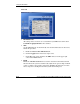
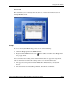
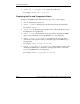
You can monitor the reading values and threshold values of appeared components,
and set alert functions when the reading value is over the threshold value.
•
•
The appeared components include VRM, CPU, FAN, Battery, and System
Power.
The alert functions include Beep, ReBoot, Shut Down, and Email.
HP ProLiant ML150 Server NOS Installation and Software Guide A-13
HP CONFIDENTIAL
Writer: Pauline Tsai File Name: o-appa Using the HP Utilities.doc
Codename: Stone Soup Part Number: 343330-003 Last Saved On: 1/7/04 4:18 PM