
ProLiant ML150 Server NOS - (English) Installation and Software Guide

Using the HP Utilities
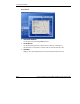
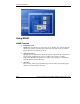
Auto Tab
•
•
•
READING LOG
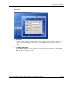
All reading values of sensors are recorded in the SystemMonitor text file when
the Enable Logging Function item is enabled.
OEC
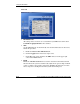
sets the OEC duration. To automatically reset the threshold values of all sensors,
follow this procedure:
a. Enable the Auto Set New Threshold item.
b. Click the Apply button on the lower right corner.
c. Click off (to turn it into on) below the OEC indicator on the upper right
corner of the MSM window.
PWM
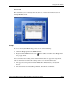
Enable the Auto Fan Control item to start the Auto Fan Control function. This
function allows the system to automatically adjust the fan speed to high, medium
or low according to the system’s temperature. Enabling this function can reduce
noises and power consumption when the system runs in full speed.
A-12 HP ProLiant ML150 Server NOS Installation and Software Guide
HP CONFIDENTIAL
Writer: Pauline Tsai File Name: o-appa Using the HP Utilities.doc
Codename: Stone Soup Part Number: 343330-003 Last Saved On: 1/7/04 4:18 PM