
ProLiant ML150 Server NOS - (English) Installation and Software Guide

Using the HP Utilities
General Settings
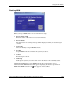
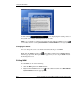
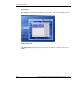
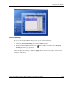
To access the System Monitoring panel, do one of the following:
•
•
Click the General Settings panel in the MSM window.
Right-click the MSM Console icon
on the taskbar and then select General
Setting from the pop-up menu.
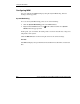
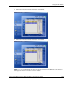
After changing the settings, click the Apply button on the lower right corner for the
change to take effect.
HP ProLiant ML150 Server NOS Installation and Software Guide A-9
HP CONFIDENTIAL
Writer: Pauline Tsai File Name: o-appa Using the HP Utilities.doc
Codename: Stone Soup Part Number: 343330-003 Last Saved On: 1/7/04 4:18 PM