
ProLiant ML150 Server NOS - (English) Installation and Software Guide

Using the HP Utilities
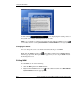
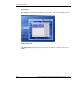
A mini window
appears displaying the reading values of
the system’s fan, voltage and temperature one at a time.
NOTE: You can disable or enable the mini window by right-clicking the MSM Console icon
on the taskbar and then selecting Disable MiniWin or Enable MiniWin from the pop-up menu.
Changing the Server
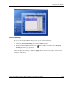
You can change the server to be monitored without having to exit MSM.
Right-click the MSM Console icon
on the taskbar and then select Change Server
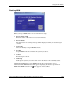
from the pop-up menu. The login window appears for you to re-log in MSM and start
monitoring this server.
Exiting MSM
To exit MSM, do one of the following:
•
•
Click the Exit panel in the MSM window.
Right-click the MSM Console icon
on the taskbar and then select Exit ML150
System Monitor from the pop-up menu.
A-4 HP ProLiant ML150 Server NOS Installation and Software Guide
HP CONFIDENTIAL
Writer: Pauline Tsai File Name: o-appa Using the HP Utilities.doc
Codename: Stone Soup Part Number: 343330-003 Last Saved On: 1/7/04 4:18 PM