
ProLiant ML150 Server NOS - (English) Installation and Software Guide

Management and Diagnostics Tools
NOTE: For the detailed instructions on using MSHD-U, please refer to the “Using
MSHD-O/-U” section in Appendix A of this guide.
HP ML150 Server Health Driver for OpenServer
(MSHD-O)
The HP ML150 Server Health Driver for OpenServer (MSHD-O) is a Unix program
that provides the critical server health functions.
Installing MSHD-O
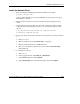
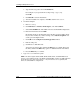
1. Insert the HP Startup CD-ROM in the CD-ROM drive of the HP ProLiant
ML150 server running SCO OpenServer 5.0.7.
2. Run the terminal program. When the window displays, follow the instructions to
install MSHD-O:
a. Mount the CD-ROM.
# mount /dev/cd0 /mnt
b. Follow the instructions to copy the source package of MSHD-O 1.0,
“MSHD-O01.tar” to the /tmp directory of the OpenServer 5.0.7 system.
# cp /mnt/Utility/Mshd-o/MSHD-O01.tar /tmp
c. After copying the source package, please un-tar MSHD-O.
# tar xvf /tmp/MSHD-O01.tar
d. Please move to the directory of MSHD-O and install MSHD-O.
# cd /tmp/MSHD-O
# ./install
3. Shut down and reboot the server. MSHD-O is ready to use.
NOTE: For the detailed instructions on using MSHD-O, please refer to the “Using
MSHD-O/-U” section in Appendix A of this guide.
HP ProLiant ML150 Server NOS Installation and Software Guide 13-5
HP CONFIDENTIAL
Writer: Pauline Tsai File Name: n-ch13 Management and Diagnostics Tools.doc
Codename: Stone Soup Part Number: 343330-003 Last Saved On: 1/7/04 4:15 PM