
HP ProLiant ML150 Generation 5 Server Hard Disk Drive Cage Installation Instructions
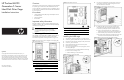
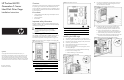

10. Install the backplane on the HDD cage:
a. Position the backplane onto the four hooks.
b. Slide the backplane downward to engage the bottom post.
c. Insert and tighten the securing screw.
Figure 6 Installing the backplane to the HDD cage
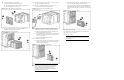
11. Slide the hot-plug HDD cage into the vacant HDD bay area
and secure with the six mounting screws.
Figure 7 Installing the hot-plug HDD cage
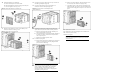
12. Connect the two power cables to the two 4-pin connectors on
the HDD cage backplane (Figure 8).
13. Connect the data cable from the system board or the
SATA/SAS card to the backplane (Figure 8).
Figure 8 Connecting cables to the backplane of the
hot-plug HDD cage
14. If installing the HDD cage into the lower hard drive area,
replace the front fan/PCI card holder assembly as follows:
a. Reconnect the front fan/PCI card holer assembly’s fan
cable to system board connector J35.
b. Insert the tabs of the front fan/PCI card holder assembly to
the holes in the chassis, rotate forward and push down
until it snaps into place.
c. Replace any full-length expansion cards.
15. To install a hot-plug drive:
a. Remove a blank panel from the HDD cage by pressing the
release levers toward each other and pulling the blank
panel out from the HDD cage.
Figure 9 Removing a hot-plug drive blank panel
CAUTION: Blank panels provide proper air flow for a
HDD cage that is not fully populated with hot-plug hard
drives. To avoid thermal conditions that could result in
hardware damage, ensure that all drive bays are
populated with either a blank panel or a hot-plug hard
drive before operating the server.
b. With the cam latch rotated up, slide the hot-plug drive into
the vacant bay until resistance is felt (Figure 10).
c. Verify that the hooks on the cam latch will engage the top
ledge of the HDD cage and then rotate the cam latch down
to fully seat the hot-plug drive and press in until it clicks into
place.
Figure 10 Installing a hot-plug hard drive
16. Replace the front bezel.
17. Replace the access panel and tighten the rear thumbscrews.
18. Connect the power cord(s).
Installation is complete.
NOTE: Once the HDD cage is installed, removal and
replacement of hot-plug drives requires only the removal
of the front bezel.