
ProLiant ML150 Generation 2 Server Maintenance and Service Guide

Removal and Replacement Procedures
HP ProLiant ML150 Generation 2 Server Maintenance and Service Guide 2-21
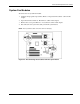
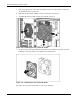
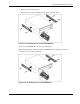
6. Remove the rails from the drive.
Remove the two screws securing each rail on the side of the drive.
Figure 2-19: Removing the rails from the CD-ROM drive
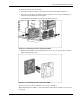
To replace the CD-ROM drive, reverse steps 2 through 6.
When attaching the rails to the sides of the CD-ROM drive, be sure that the screws are
secured in the correct holes on the rails.
Figure 2-20: Attaching the rails to the CD-ROM drive