
ProLiant ML110 Generation 2 Server Maintenance and Service Guide

Diagnostic Tools
Loading System Defaults
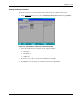
If your system fails after you make changes in the Setup menus, reboot the server, enter Setup
and load the system default settings to correct the error. These default settings have been
selected to optimize your server’s performance.
To load the system defaults:
1. Reboot the server in a normal manner.
2. During POST, press F10 to access the Setup Utility.
3. Press F9 to load the default values.
4. Press F10 to save the changes you made and close the Setup Utility.
Clearing CMOS
You may need to clear the Setup configuration values (CMOS) if the configuration has been
corrupted, or if incorrect settings made in the Setup Utility have caused error messages to be
unreadable. Clearing the CMOS data does not invalidate previously set system passwords.
The clear CMOS switch is switch 4 of the system configuration switch (SW1). Refer to
Chapter 5 for the location of this switch.
To clear CMOS:
1. Perform the pre-installation instructions listed in Chapter 2.
2. If necessary, remove any accessory boards or cables that prevent access to the system
configuration switch.
3. Locate the system configuration switch (SW1) on the system board.
4. Identify SW1-4 of the switch.
By default, SW1-4 is set to the Off position.
5. Set SW1-4 to the On position.
This will clear the CMOS memory.
6. Switch SW1-4 back to its default Off position.
7. Perform the post-installation instructions listed in Chapter 2.
8. During POST, press F10 to access the Setup Utility.
9. Press F9 to load the system default values.
10. Press F10 to save the changes you made and close the Setup Utility.
3-12 HP ProLiant ML110 Generation 2 Server Maintenance and Service Guide