
ProLiant ML110 Generation 2 Server Maintenance and Service Guide

Removal and Replacement Procedures
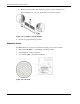
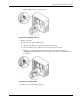
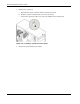
5. Detach the old fan from its frame:
a. Unclasp the four retention latches on the frame.
b. Pull the fan away from its frame.
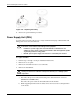
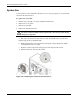
Figure 2-45: Removing a system fan from its frame
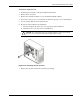
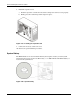
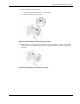
6. Install the new fan to its frame by aligning the pegs on the frame to their corresponding
notch on the fan, and then firmly press the two together until the retention latches snap
into place.
Figure 2-46: Installing a system fan to its frame
HP ProLiant ML110 Generation 2 Server Maintenance and Service Guide 2-39