
Supporting HP TeachNow, v 1.1 update
34
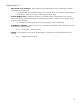
with the “admin1” username will be presented with the “Edit Image” wizard – the system
assumes it’s the same person.
o If the second user had logged into the system with the username “admin2”, then the first user’s
session would be stopped, and then next time he or she tries to perform any action, they will be
presented with the admin console login screen. The person who logged in as “admin2” now
has control of the system.
Note, that whatever operation the “admin1” user was executing would continue, and
when the “admin1” user reconnects to the system, he or she would be returned to the
same step in the same “Edit Image” wizard.
• Time field “locale” not set correctly – In many of the HP TeachNow user interface screens, where a
time is displayed, the time is being displayed in GMT (Greenwich Mean Time), rather than the correct
localized time zone. To convert to a localized time zone, you can (mentally) add an offset to the time shown to
translate the GMT to your local time. There is no system-specific fix at present.
• Server disk space – When you request an operation that will use space on the HP TeachNow server
disk, the system checks to see that there is sufficient space to fulfill the request. The system does not
dynamically check during the operation, however, so if some other action takes place on the server and
consumes a lot of the server disk space, the TeachNow operation can fail, and display a “problem” page.
This is most noticeable on a “copy” image since it can take some time and use a lot of disk space so there is
opportunity for some other event to occur on the server that unexpectedly consumes space that TeachNow
needs to complete the copy.