
Supporting HP TeachNow, v 1.1 update
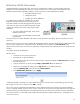
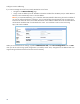
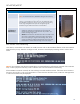
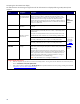

HP st5742/st5747
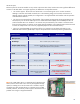
The HP st5742 and st5747 thin clients are based on the t5740 but they are flashless.
Differences between HP t5740/45 and st574x streaming products
BIOS Differences
In Advanced BIOS Features, first boot device must = “Network”
(Note: this should be the factory default BIOS setting for the st5742/47)
Tool Differences
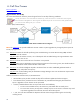
Standard thin clients boot locally, streaming clients PXE boot from a disk
image in a “virtual hard drive” file on the server. The standard thin client
tools (EZUpdate, imaging tools, and so on) are not used on the streaming
clients. Image management and capture are managed through HP
TeachNow using the Admin and Teacher console interfaces.
COA (Microsoft
“Certificate of
Authenticity”)
• st5742: Windows Diskless Win7 / XPP COA (Microsoft Certificate of
Authenticity). Customers can purchase this unit only if they also
purchase the volume license at the same time. HP provides a “pre-
cooked” streaming image master.
• st5747: same hardware as the st5742 but it does not include a COA.
The customer is responsible for licensing the images. HP TeachNow
has tools for capturing an image from the streaming clients, but the
customer will need the 16GB solid state disk (SSD) option and a USB
CD/DVD drive to install a reference image on the unit for capture.
Basic “flashless” client troubleshooting
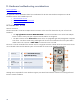
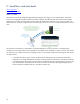
Since there is no ATA Flash in the st5742/47 models, the boot order in Advanced BIOS features will be set to Network
(PXE) as the first priority. When the unit begins to boot, the monitor should display something similar to what is shown
below.
Note: If the unit display looks like the example above, the client hardware is performing as expected. If the connection
fails, it is due to physical connectivity issues or software issues. The client hardware is functioning.
If the TeachNow connection succeeds, the client will begin a normal Windows OS boot. If the client cannot connect to
the server, the unit will try to do a non-network boot. In cases where the client fails to boot, a PXE error message similar
to what is shown below may be displayed.
27