
Supporting HP TeachNow, v 1.1 update
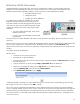

Configure switch IP addressing
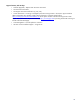
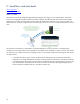
If you want to manage the switch from a locally attached PC in the future:
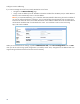
• Navigate to the Network Setup page
• Assign a static IP address (from the TeachNow subnet but excluded from the DHCP pool) or enable DHCP to
have the switch automatically receive a local IP address.
Note: If you use DHCP addressing, you will need an alternate method for determining the switch IP address if
you want to configure the device in the future. You will need to follow the appropriate router or DHCP server
instructions to access the router/service that allocates the switch address to obtain the list of connected devices
and locate the IP address that was allocated to the switch. You would then connect to the switch using
http://the.switch.IP.address.
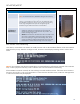
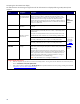
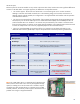
When you are satisfied with the settings, expand the Maintenance tab, select Save Configuration and click OK
when you see the “The running system configuration is successfully saved.” Then, change the PC’s IP address back to its
original setting and disconnect the PC from the switch if necessary.
26