
HP ProLiant Lights-Out 100 Remote Management User Guide for HP ProLiant ML110 G5, ML115 G5, DL120 G5, ML150 G5, DL160 G5, DL165 G5, DL1809 G5, DL185 G5, and SL165z G6 Servers
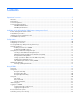
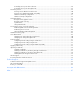

Contents
Operational overview ................................................................................................................... 5
Overview .................................................................................................................................................... 5
New features ............................................................................................................................................... 5
Server management...................................................................................................................................... 5
Server management features ......................................................................................................................... 5
LO100 standard features .................................................................................................................... 6
LO100 optional features ..................................................................................................................... 6
Installation of the HP Lights-Out 100c Remote Management Card ....................................................... 8
Remote management card kit contents ............................................................................................................ 8
Preinstallation procedures ............................................................................................................................. 8
Installing the remote management card .......................................................................................................... 9
Post-installation procedures ............................................................................................................................ 9
Configuration ............................................................................................................................. 10
Configuring network access ........................................................................................................................ 10
Configuring user accounts ........................................................................................................................... 10
Accessing BIOS Setup Utility and using function keys ..................................................................................... 11
Using the serial port ................................................................................................................................... 11
Enabling serial access to LO100 ....................................................................................................... 11
Configuring LO100 serial port........................................................................................................... 12
Using TCP/IP over Ethernet management port ............................................................................................... 12
Selecting a shared Ethernet management port ..................................................................................... 12
Obtaining a DHCP IP address from the BIOS Setup Utility .................................................................... 13
Using the DNS naming feature .......................................................................................................... 14
Setting up a static IP address from the BIOS Setup Utility ...................................................................... 14
Enabling telnet and HTTP services ...................................................................................................... 15
TCP and UDP port numbers used by LO100 ........................................................................................ 16
Updating the firmware ................................................................................................................................ 16
Remotely updating the firmware ......................................................................................................... 16
Using LO100 ............................................................................................................................. 19
Using SSL .................................................................................................................................................. 19
Using SSH ................................................................................................................................................. 19
Using the SSH utility ......................................................................................................................... 19
Using the PuTTY utility ....................................................................................................................... 20
Using the OpenSSH utility ................................................................................................................. 20
Using CLP .................................................................................................................................................. 20
CLP syntax ....................................................................................................................................... 21
Base commands ............................................................................................................................... 22
Specific commands .......................................................................................................................... 25
IPMI 2.0 support ........................................................................................................................................ 26
Logging in to LO100 .................................................................................................................................. 26
Logging in through a web browser..................................................................................................... 26
Logging in through the CLP ................................................................................................................ 27
Browser main menu options ........................................................................................................................ 27
Controlling server power remotely ................................................................................................................
28