
Intel Matrix Storage Manager User's Manual

Error Messages
R
Appendix A Error Messages
A.1 Incompatible Hardware Error Message
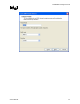
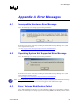
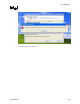
Issue: The following error message appears during installation:
Resolution: This issue is resolved by installing the Intel® Matrix Storage Manager on a system
with a supported Intel chipset.
(see http://support.intel.com/support/chipsets/imst/sb/CS-020644.htm
).
A.2 Operating System Not Supported Error Message
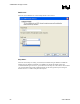
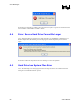
Issue: The following error message appears during installation:
Resolution: This issue is resolved by installing the Intel® Matrix Storage Manager on a system
with a supported operating system.
(see http://support.intel.com/support/chipsets/imsm/sb/CS-020648.htm
)
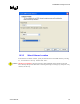
Note: Note for Windows* XP users: To successfully complete installation of the Intel® Matrix Storage
Manager with Windows* XP, the user must be logged on with Administrator rights.
A.3 Error: Volume Modification Failed
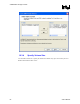
Issue: When attempting to migrate a 2 or 3-drive RAID 0 volume or a 2-drive RAID 1 volume to
RAID 5, the following error message appears after clicking Finish in the Modify Volume wizard:
User's Manual 67