
Intel Matrix Storage Manager User's Manual

“RAID Ready”
R
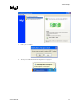
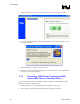
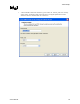
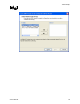
9. Select the desired strip size setting. As indicated, the default setting for RAID 10 is 128KB.
The default setting for RAID 0 is also 128KB. The default setting for RAID 5 is 64KB. Even
though the default setting is the recommended setting for most users, you should choose the
strip size value that is best suited to your specific RAID usage model. Additional details on
the most typical strip size settings are listed in Section 17.3.4 titled ‘Strip Size Descriptions’.
10. Select ‘Next’ after choosing a strip size
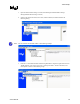
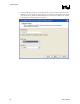
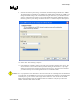
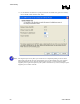
11. In the left-hand ‘Available’ window, select the source hard drive and then click ‘Next’. The
source hard drive can be selected either by double-clicking on the hard drive, or by single-
clicking on the hard drive and then selecting the right arrow key. The data on the hard drive
you select will be preserved and migrated across to a new RAID volume.
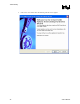
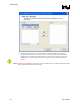
Caution: It is very important to note which disk is the source disk (the one containing all of the information
to be migrated). On a RAID Ready system, this can be determined by making a note during POST
of which port (e.g. Port 0 or Port 1) the single disk is attached to. You can also use the Intel®
Matrix Storage Manager before the additional disks are installed to verify the port and serial
number of the drive that contains the data.
User's Manual 47