
Intel Matrix Storage Manager User's Manual

Intel® Matrix Storage Manager Installation
R
Double-click on the ‘System’ iconx
x
x
x
x
x
x
x
Select the 'Hardware' tab
Select 'Device Manager' button
Expand the 'SCSI and RAID Controllers' entry
Right-click on the ‘Intel(R) 82801GR/GH SATA RAID Controller’
Select the 'Driver' tab
Select the 'Driver Details' button
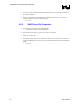
The iaStor.sys file should be listed, as in the following example
6.5 Identifying Version of Intel® Matrix Storage
Manager Installed
There are two ways to determine which version of the Intel® Matrix Storage Manager is installed:
Use the Intel® Matrix Storage Consolex
x
x
x
x
Locate the RAID driver (iaStor.sys) file and view the file properties
6.5.1 Using the Intel® Matrix Storage Console:
Run the Intel® Matrix Storage Console from the following Start Menu path:
Windows XP: Start Æ All Programs Æ Intel® Matrix Storage Manager Æ Intel®
Matrix Storage Console
Windows 2000: Start Æ Programs Æ Intel® Matrix Storage Manager Æ Intel®
Matrix Storage Console
Click the ‘Device Information’ tab
·Single left-mouse click on the ‘Intel(R) 82801GR/GH SATA RAID Controller’ item in
the Devices tree
User's Manual 37